
For a long time, accessibility in design was treated like a checklist item. Something you did at the end of a project, if at all. Something optional. But that mindset is changing.
Today, accessibility is no longer just about compliance or legal requirements. It’s about better design, stronger user experience, wider reach, and measurable business growth. When we design with accessibility in mind, we don’t just help a few users, we improve the experience for everyone.
At Seven Koncepts, we see accessibility not as a limitation, but as a design superpower. And in this blog, we’ll break down why inclusive design gives businesses a real competitive edge and how the latest WCAG updates fit into that picture.
What Do We Really Mean by Accessibility in Design?
Accessibility in design means creating digital experiences that everyone can use, regardless of ability, device, or situation.
This includes:
- People with visual, hearing, motor, or cognitive impairments
- Older users
- Mobile users
- Users with slow internet
- Users in bright sunlight, noisy environments, or temporary injuries
In simple terms, accessibility is about removing barriers.
Examples include:
- Text that’s easy to read and resize
- Buttons that can be used with a keyboard
- Images with proper alt text
- Clear navigation and consistent layouts
- Forms that are easy to understand and submit
When we design accessibly, we’re not designing for “edge cases” or rare scenarios. We’re designing for real people in real situations.
Why Accessibility Improves User Experience for Everyone
Here’s the truth: Good accessibility is good UX.
When we apply accessibility principles:
- Navigation becomes clearer
- Content becomes easier to scan
- Interactions become more predictable
- Errors become easier to fix
Think about video captions. They help people who are deaf but they also help users watching videos on mute. Think about larger clickable buttons. They help users with motor impairments and they also help mobile users with one hand.
Accessibility forces us to design with clarity and intention. And that naturally leads to better user experiences.
At Seven Koncepts, we’ve noticed that accessible designs often:
- Reduce bounce rates
- Increase engagement
- Improve conversion rates
- Lower support requests
That’s not a coincidence. That’s good design doing its job.
Accessibility and SEO: A Hidden Advantage
One of the most overlooked benefits of accessibility is how closely it aligns with SEO best practices.
Search engines function in ways that are surprisingly similar to assistive technologies. They rely on structure, context, and clarity to understand content.
Accessible design encourages:
- Proper heading hierarchy (H1, H2, H3)
- Descriptive link text
- Alt text for images
- Semantic HTML
- Faster load times
- Mobile-friendly layouts
All of these are ranking factors.
When we design accessibly, we’re also making it easier for search engines to crawl, index, and rank our content. That means more visibility, more traffic, and more opportunities without gaming the system.
Accessibility doesn’t fight SEO. It strengthens it.
WCAG Explained
WCAG stands for Web Content Accessibility Guidelines. Developed by the World Wide Web Consortium (W3C), these guidelines provide a globally recognized standard for making digital content accessible to people with disabilities. WCAG helps ensure that websites, apps, and digital platforms can be used by everyone, regardless of physical, sensory, or cognitive ability.
WCAG is built around four core principles, often referred to as POUR. For content to be accessible, it must be:
- Perceivable: Information and user interface components must be presented in ways users can see or hear, such as providing text alternatives for images and captions for audio.
- Operable: Users must be able to navigate and interact with the content, whether using a keyboard, mouse, or assistive technology.
- Understandable: Content should be clear, readable, and predictable, so users can easily comprehend information and complete tasks.
- Robust: Content must remain compatible with current and future assistive technologies, ensuring long-term accessibility.
Together, these principles guide developers and designers in creating inclusive digital experiences for all users.
What’s New in WCAG 2.2 (And Why It Matters)
WCAG 2.2 is the latest update, and it focuses heavily on usability, clarity, and error prevention, especially for users with cognitive and motor challenges.
Here are some key updates that matter:
1. Improved Focus Visibility
Interactive elements like buttons and links must have clear focus indicators when navigated via keyboard.
This helps users who can’t use a mouse know exactly where they are on the page.
2. Consistent Help Placement
Help options (like FAQs or support links) should appear in the same location across pages.
Consistency reduces confusion and cognitive load.
3. Clear Authentication Processes
Login systems should avoid unnecessary complexity, such as puzzles or memory-based challenges, which can exclude users with cognitive disabilities.
4. Drag-and-Drop Alternatives
If a function requires dragging, there must be an alternative input method. This improves usability for keyboard-only and assistive technology users.
Accessibility is no longer just visual. It’s about how users think, move, and interact.
Accessibility as a Competitive Advantage
Most businesses still treat accessibility as an afterthought, and that’s exactly where the opportunity lies.
When we build accessible products, we don’t just comply with guidelines; we create better experiences. We reach a wider audience, remove unnecessary friction, and make it easier for users to engage, convert, and return. Accessibility builds trust by showing care, intention, and professionalism, qualities users instantly sense, even if they can’t name them.
People may not consciously think, “This site is accessible,” but they feel it. Everything works smoothly. Navigation feels intuitive. Interactions feel effortless instead of frustrating.
In a digital world where users decide in seconds whether to stay or leave, those small improvements make a big difference.
Inclusive design isn’t just the right thing to do; it’s a smart, strategic advantage that strengthens your brand and future-proofs your digital presence.
Common Myths That Hold Teams Back
Let’s clear up a few misconceptions we hear all the time:
1. “Accessibility kills creativity.”
It doesn’t. Constraints often lead to better, more thoughtful design.
2. “It’s expensive.”
Accessibility is only costly when added late. When built in early, it saves time and money.
3. “It’s only for disabled users.”
Accessibility helps everyone. Period.
4. “We’ll fix it later.”
Later usually never comes and the cost only grows.
At Seven Koncepts, we believe accessibility works best when it’s part of the design process from day one.
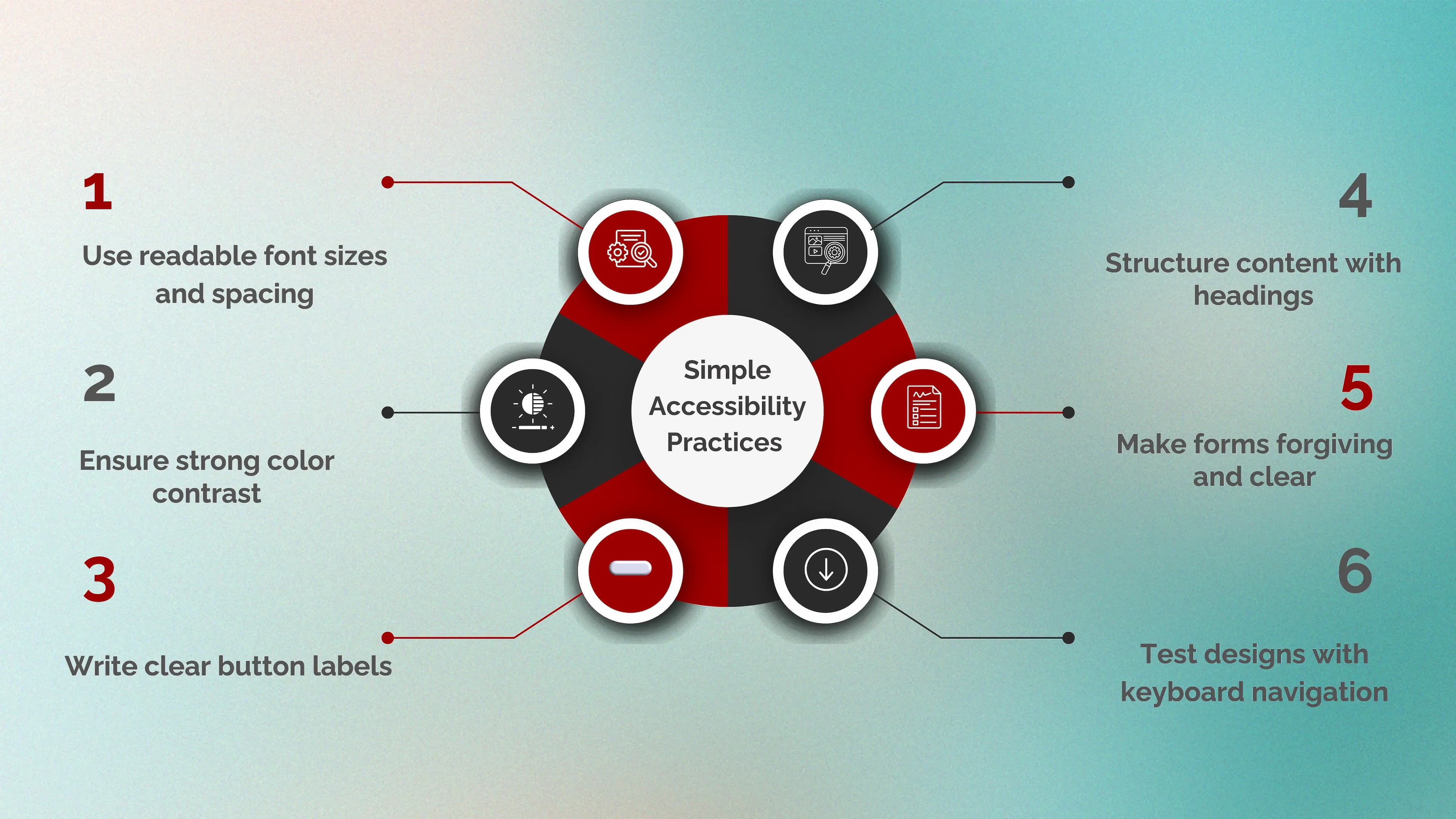
Simple Accessibility Practices We Can Apply Today
Accessibility doesn’t have to be overwhelming. Small changes go a long way.
Here are a few practical steps:
The Future of Design Is Inclusive
Accessibility requirements are increasing globally. Technologies are evolving. User expectations are rising.
Designers and businesses that ignore accessibility will struggle to keep up. Those who embrace it will stand out.
Inclusive design isn’t a trend. It’s the future.
And the best part? It aligns ethics, usability, performance, and business goals, all at once.
Conclusion: Accessibility Is a Superpower
Accessibility isn’t about doing the minimum. It’s about designing with intention, empathy, and clarity.
When we design accessibly, we don’t just check a box. We create experiences that work better, rank better, and convert better.
At Seven Koncepts, we believe accessibility is not a limitation, it’s a competitive advantage. One that smart businesses are already using to lead. If you want your digital products to be inclusive, future-ready, and performance-driven, we’d love to help.
Let’s build experiences that everyone can use. Get in touch with Seven Koncepts today.
If you want to read more about accessibility in design, jump to this article, Inclusive UX: How Accessibility Boosts Sales and Customer Loyalty
FAQs
1. What is design accessibility?
Design accessibility means creating digital experiences that everyone can use, regardless of ability, device, or situation. When we design accessibly, we make sure our websites, apps, and products are easy to navigate, understand, and interact with, including for people with visual, hearing, motor, or cognitive impairments.
2. What are the four pillars of accessibility?
The four pillars of accessibility come from the Web Content Accessibility Guidelines (WCAG). They are often summarized as POUR:
- Perceivable – Users must be able to see or hear the content. This includes text alternatives for images and captions for videos.
- Operable – Users must be able to navigate and interact with the interface, including using a keyboard or assistive technologies.
- Understandable – Content and interactions should be clear, predictable, and easy to follow.
- Robust – The design should work reliably across different devices, browsers, and assistive tools.
When we follow these pillars, we create experiences that are flexible, reliable, and inclusive.
3. What is an example of accessibility in design?
A simple example of accessibility in design is adding alt text to images so screen readers can describe them to users who are visually impaired. Another example is ensuring strong color contrast so text is readable for users with low vision.
Other everyday examples include:
- Captions on videos
- Keyboard-friendly navigation
- Clearly labeled form fields
- Large, easy-to-click buttons
These features help users with disabilities, but they also make the experience smoother for everyone.
4. What is a key principle of accessibility in design?
A key principle of accessibility in design is designing for flexibility. This means we don’t assume all users interact with a product in the same way. Some users use a mouse, others use a keyboard, touch, or assistive technologies.
By designing flexible and adaptable interfaces, we make sure users can access content in the way that works best for them. This principle helps us create designs that are not only inclusive, but also more resilient and future-proof.